Master Records
Updated
Updated
16 min Read
How to Prepare Your Customer and Vendor Lists for a NetSuite Migration
Preparing your customer and vendor lists for NetSuite comes down to three decisions: identifying the true source system, deciding how your transaction strategy affects scope, and standardizing names before you attempt any merge. Skip that order, and you end up like most companies: not knowing how many customers or vendors you actually have.
If you're preparing your customer and vendor data for a NetSuite migration, this cleanup determines whether your reporting means anything on day one. Here's how to actually do it.
Key Takeaways
- Identify your true source system before exporting anything. It isn't always your accounting system.
- Your transaction migration strategy, balances-only vs. detailed history, determines how much of your legacy list actually needs to be cleaned.
- Never auto-merge on similarity alone. Reserve automatic merges for exact matches and route everything else to a short human review.
- NetSuite can model structure your legacy system couldn't, like parent/child rollups, so decide before go-live whether you want that.
Part 1: Scope It Before You Touch a Spreadsheet
1. Where Does Your Customer and Vendor Data Really Live?
Before you clean anything, figure out which system is the source of truth for each master record type. This isn't always your accounting system.
On one recent migration, an international entity was running Sage 300 for accounting alongside Nexus, an add-on interface layered on Sage 300 that handles the operational side: purchasing, receiving, and inventory. Sage 300 said the company had 1,849 vendors. Nexus said 1,985. The real number was neither, and the two systems disagreed about who the vendors even were, because each one had been the system of entry for different parts of the business for years.
I'm also currently helping an ecommerce client where QuickBooks is the accounting system of record, but customers are managed in Shopify. Shopify pushes a single batch entry into QuickBooks for each day's sales, so the individual customer-level sales history never actually exists in QuickBooks. If we treated QuickBooks as the source for customer data, we'd be working from the wrong list entirely.
Neither case is unusual. Ask this early, for both customers and vendors:
- Where does the team go to find the "correct" list today?
- Is that the same system that generates the accounting transactions?
- If not, how do the two systems currently reconcile, if at all?
- If multiple systems are in play, which one contains the correct version of the entity?
Get this wrong, and every later step inherits the mistake. Get it right, and you know which export to start from before you touch a spreadsheet.
2. How Does Your Transaction Migration Strategy Affect Your Cleanup Scope?
If you're only bringing over opening balances, your customer and vendor list can be reasonably lean. Whoever has an open balance needs to exist in NetSuite. Nobody else does.
If you're bringing over detailed, transaction-level history instead, every customer and vendor tied to those transactions must exist in NetSuite before you can load it, because a transaction can't post without an entity to assign it to. That has two real consequences:
- Your cleanup scope grows. A customer who closed their account in 2023 doesn't affect opening balances, but it does matter if you're loading five years of invoice history and that customer is on 40 of those invoices.
- You'll need a plan for the gaps. If a legacy transaction references a customer or vendor that didn't survive your cleanup, either that record needs to come back, or you need a plug entity to catch it. A plug entity keeps your real customer and vendor list clean, but it adds a layer of reconciliation you have to document and explain later, especially to an auditor asking why a chunk of revenue sits under "Legacy Customer - Unassigned."
This shows up constantly with clients using Brex or Concur. Every Amazon charge, hotel stay, and one-off airfare purchase creates its own vendor in the expense system, and importing them individually would leave you with hundreds of vendors used exactly once. Instead, we typically consolidate all that one-time credit card activity into a single "Historical CC Vendor" while keeping the transaction-level detail intact beneath it. Same tradeoff as the plug entity above: a clean vendor list in exchange for a bit more explaining if someone asks why that one vendor has such a wide range of activity.
Decide this before you finalize your customer and vendor list, not after you've already started loading transactions. It changes how aggressively you can trim the list and how much detail you need to carry.
3. How Do Post-Go-Live Integrations Affect Your Master Record Prep?
The step above covers what happens during the load. But you also need to know what happens after go-live, because some systems don't stop creating customers and vendors once NetSuite is live. They keep doing it via an integration, which changes what your master list needs to look like on day one.
On a biotech client's project, the partner recommended keeping Zoho as the customer master going forward rather than NetSuite. The plan: load all existing Zoho customers into NetSuite as part of the migration, then let Zoho continue creating new customers and sync them into NetSuite via the integration. Once that decision is made, your migration only needs to cover existing customers. You're not building a process to create customers directly in NetSuite, because that job now belongs to Zoho.
The same logic shows up on the vendor side. If a client plans to keep using BILL for vendor payments, BILL should be the master list, not NetSuite. BILL syncs with NetSuite during implementation and can create vendor records on its own going forward.
But here's where timing gets tricky: if you're also migrating detailed historical transactions, some of those vendors may need to exist in NetSuite before BILL has had a chance to create them, because you can't load a historical vendor bill against a vendor that doesn't exist yet. That's a direct collision between two decisions: who owns vendor creation long-term and what must be true in NetSuite on day one to load your history.
This is exactly why you should have this conversation with your implementation partner early, before you start cleaning anything. Which system will keep creating customers and vendors after go-live? How much of your legacy list actually needs to be migrated, and whether anything needs to be preloaded out of sequence to support your historical data?
Part 2: Cleaning and Standardizing the List
4. Which Fields Actually Matter When Mapping Customer and Vendor Data to NetSuite?
Before cleaning anything, you should identify which columns are relevant for your business. Build a plain two-column list: source field, what it becomes, with a note on anything unusual. Most rows will just say "Ignore." That list becomes the contract for the rest of the project. If someone later changes their mind about a field name, it's a one-line edit instead of a rewrite.
A simplified version looks something like this:
| Legacy Field | Becomes in NetSuite | Why |
|---|---|---|
| Legal entity name | Company name | Standardize the casing, keep the legal suffix |
| Legacy account number / ID | External ID | The key that ties historical transactions back to the new record |
| Currency code | Currency (multi-currency subtab) | Attached as a secondary currency instead of creating a separate record |
| Running balance | Not mapped | Balances get established through opening journal entries, not a direct import |
| Tax classification | Tax code | Remapped from legacy codes to your NetSuite tax setup |
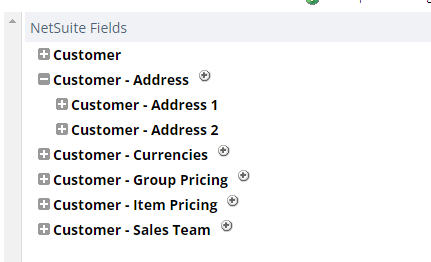
If you want the exhaustive list of every field NetSuite supports on a customer or vendor record, not just the ones that matter for a typical cleanup, NetSuite's Schema Browser has the full field-level detail for both the customer record and the vendor record, and it's publicly accessible without logging in, though it's written for a technical audience. Your implementation partner should provide training on the actual CSV templates required to load customers and vendors. The list above is a starting point for that conversion process, not a substitute for the training.
If you're making substantial changes to a record during cleanup (renaming, merging, restructuring the hierarchy), it's worth adding a custom field in NetSuite to store the legacy system's ID and original name. On a project with a PE-backed services company, this ended up being one of the most useful things we set up. Between the merges and the customer/project restructuring we did during that migration, having a permanent, queryable link back to "here's exactly what this record used to be called and where it came from" made it far easier to answer questions later, both from the client and from us, without having to dig back through old export files.
5. How Do You Handle Inactive Records and Overlapping Systems?
Two more scope decisions belong together, because both come down to deciding what actually counts as a "real," current record before you finalize the list.
Cutting inactive records. Usually not everything should come over. Every system flags "inactive" differently, so normalize that flag to one answer before you decide what to do with it. A reasonable default: apply a date cutoff. No activity since a set date means the record doesn't come forward. On one project, that single rule accounted for most of the drop in record count, from thousands of legacy records down to the few hundred still doing business.
If you're not fully confident in your cutoff, there's a lower-risk fallback: bring the borderline records over and mark them inactive in NetSuite instead of leaving them out entirely. Flipping a record's active/inactive status once it exists is a simple CSV import, so if you later realize you excluded something you actually needed, you're not stuck re-running the whole migration to get it back.
Reconciling two systems. When the same customer or vendor exists in two source systems, you need a rule to resolve conflicts, not a case-by-case judgment call for every overlapping record. Name a master system and stick to it. If a record exists in both, the master system's version wins outright, and the other is dropped entirely. The secondary system only contributes records the master has never seen.
On the same Sage 300 and Nexus migration referenced earlier, we named Nexus as the master. Sage 300 contributed the smaller set of vendors Nexus had never seen, and everything else from Sage 300 was dropped as an already-present duplicate. Every row was tagged with the system that supplied it, so the decision remained auditable after the fact. That tagging matters more than which system you pick as master. "Nexus wins" is a defensible choice. So is the opposite. What isn't defensible is a blended record where nobody can tell which system supplied which field.
6. How Do You Standardize Customer and Vendor Names Without Losing Legal Context?
You can't compare names that haven't been standardized. ACME LIGHTING LTD and Acme Lighting Limited are the same company, but nothing will treat them that way until you make them look alike.
In rough order of how much trouble each one causes:
Junk hiding inside the name field. Because the name field is the only free-text box on the screen, it becomes the place for everything that has nowhere else to go: an account number, a DBA, a payment instruction, two reference numbers in parentheses. Each of these needs to be pulled into its own column. It's useful data. You want the account number. But while it sits inside the name, it makes a vendor look unique when it isn't.
Inconsistent capitalization. Records entered years ago are often ALL CAPS. Recent ones are Mixed Case. Converting everything to Title Case sounds simple until it turns DHL into Dhl and McDonald into Mcdonald. Keep an explicit list of acronyms and name particles to protect, and leave already-mixed-case names alone on the theory that if someone typed a specific capitalization, they meant it.
Legal suffixes. Limited becomes Ltd, Incorporated becomes Inc. Pick a house style and apply it everywhere. But don't strip the suffix entirely. Acme LLP and Acme LLC are different legal entities. So are Acme GmbH and Acme AG. The suffix is data, not noise.
Worth knowing as you make these calls: NetSuite's vendor record actually keeps Company Name and Legal Name as two separate fields. That means the clean, standardized name your team sees day-to-day doesn't have to be the exact name that carries the legal weight for tax and financial purposes. If a legacy system forced everything into a single name field, this is a good moment to properly separate those two uses.
7. What Is an Invisible Match Key, and How Does It Catch Duplicates?
This is the step that makes everything else work.
For every record, build a second, invisible version of the name: everything uppercase, punctuation removed, "&" spelled out as "and," a leading "The" dropped. 10K Used Gear Ltd and 10k Used Gear Limited both collapse to the same string.
That version is never shown to anyone. It exists only to answer one question: are these the same? The name your team actually sees stays the clean, properly cased one.
Keeping these two jobs separate means you can be as aggressive as you want about matching without ever mangling what shows up on an invoice.
Not sure how messy your own list is before you start? Our 7 Signs Your Data Isn't Ready for NetSuite guide is a quick self-check you can run against your own export in about 10 minutes.
8. When Should You Auto-Merge Duplicates vs. Hand Them to a Human?
Merge only when the invisible match key is identical. Here's a real example. The accounting system had three separate vendor records:
- 10K Used Gear Limited
- 10k Used Gear Limited
- 10K Used Gear Ltd
Obviously the same company. Three records because someone set up a new one each time the vendor invoiced in a different currency: USD, EUR, and GBP. Keep this in mind as you clean up: NetSuite allows a single customer or vendor record to transact in multiple currencies. Legacy systems like QuickBooks Online and Sage 300 don't. They create a separate record for each currency instead. That's a structural difference, not a data-quality problem, and it's exactly what produces cases like this one. Auto-merging these three onto a single clean match key is safe.
Now here's a pair that looks just as similar:
- A Real Company Productions Inc. (CAD)
- A Real Company Productions Inc. (USD)
Same name, different currency tag. But this time, they're two genuinely separate legal entities in two countries, each with its own tax registration. Merging them would be wrong.
There's no rule that gets both of these right automatically. This is the whole difficulty of the job, and any tool that promises to "find and merge duplicates" at the click of a button is quietly guessing on your behalf. It's not just a tooling problem, either. Handing this list to an intern or an outside consultant runs into the same wall, because they don't have the business context to know that the CAD and USD entities are separate companies while the three currency variants above are one. That's a genuinely hard task to get right, and it's usually exactly why these lists got out of hand in the first place: whoever touched them last didn't have enough context to clean them up correctly, so they just added another record instead.
On one recent project, merging only exact match-key duplicates collapsed 1,849 accounting records into 1,755 vendors. For everything else, names that are close but not identical, build a review list instead of guessing. On that same project, it was 14 pairs, ranked by similarity, for a person to look at. That's a 15-minute job.
The temptation is to automate that last step too: "these are 94% similar, merge them." Don't. That's exactly where the CAD and USD entities above live. Fourteen judgment calls by someone who knows the business beat a threshold that's wrong an unknown number of times.
If you're still unsure about a pair after review, leave them as separate records. NetSuite has solid native duplicate detection and merge functionality once your data is loaded, so you can revisit a borderline case later. There's no clean way to undo an incorrect merge once transaction history is attached to it. It's far safer to bring over a few extra records than to accidentally combine two that should have stayed apart.
Part 3: Governance and Execution
9. What Survives a Merge, and What Doesn't?
When three records become one, you have to answer a few questions on purpose, not by default:
- IDs: keep all of them. Every one is attached to transaction history somewhere. Store them as a list and promote one to primary.
- Currencies: keep all of them. That's often why the duplicates existed in the first place.
- Addresses: keep all of them. NetSuite supports multiple addresses on a single customer or vendor record, each with its own label, and you can set the default shipping and default billing addresses as part of the CSV import.
- Phone numbers: the main record has room for a primary and an alternate or mobile number, so you're not strictly down to one. Beyond that, additional numbers can live on a contact record attached to the customer or vendor rather than getting crammed into a single field.
- The displayed name: use the most common variant, breaking ties toward the longest, on the theory that the longest version is usually the most complete.
10. Should You Build Parent/Child Structure That Didn't Exist in Your Legacy System?
Cleanup isn't only about removing duplicates. Sometimes it's about adding structure that never existed in your legacy system, because NetSuite can model relationships your old system couldn't.
On a hospital system's migration off QuickBooks Desktop, each individual hospital had always been set up as its own standalone customer. There was no parent record linking them in the legacy data. As part of the NetSuite migration, we added the hospital system itself as a parent customer, with each hospital linked underneath it as a child. That gave the finance team system-wide roll-up reporting they'd never had before, without losing the ability to report on any individual hospital.
NetSuite's parent/child structure can extend beyond one level, too. For a religious nonprofit's migration, we used it to build out a full grandparent-parent-child hierarchy: the top-level organization, its regional bodies underneath, and individual congregations underneath those. It's worth saying clearly that I wouldn't generally recommend going three levels deep. It adds real complexity to reporting and maintenance. But it is possible, and if your organization's structure genuinely needs it, NetSuite can accommodate it. NetSuite also has nonprofit-specific functionality (the Household Record) built for exactly this kind of multi-level organizational structure, and it may be a better fit than a straight parent/child hierarchy, depending on your reporting needs. That's outside my area of expertise, so if it's relevant to you, it's worth having a direct conversation with your implementation partner about which approach fits best.
The takeaway: don't assume your legacy system's flat list is the ceiling for how your data should be organized in NetSuite. If a parent/child rollup would make your reporting more useful, this is the point in the project to build it, while you're already touching every record.
11. What Should You Actually Use to Execute These Changes?
Everything above describes what needs to happen to the data. It's worth being just as deliberate about how you make the changes.
Where you can, make the change in the legacy system itself rather than in a spreadsheet. A vendor renamed or merged at the source remains fixed no matter how many times you re-export it afterward. A change made only in a spreadsheet has to survive being reopened, resaved, and handed between people, and it only takes one corrupted file or one dropped formula to undo hours of work and leave you without a clear record of what actually happened.
For everything that has to happen in the spreadsheet, don't do it by hand if you can avoid it. An AI tool or a short script that applies your field mapping, name standardization, and match-key logic consistently is worth the setup time. It gives you something a manual pass can't: an exact, repeatable record of what changed and why.
That repeatability matters more than it might seem, because you'll typically load your master records twice, not once. Once early in the project to support testing and buildout, and again right before go-live to pick up everything that changed in the legacy system in the meantime. If your first pass was a one-off manual cleanup, you're redoing that work from scratch under go-live pressure. If it were a documented, rerunnable process instead, the second pass would be mostly automatic.
12. What Habits Make a NetSuite Master Data Migration Defensible?
The technical work is the easy part. A handful of habits do most of the heavy lifting:
- Write the field mapping down before you start. Change it as a document, not as code.
- Never delete silently. Every removal gets a row in a review tab and a reason.
- Never auto-merge on "close enough." Surface the close calls and let a person spend 15 minutes.
- Ask instead of guessing. If a source field is genuinely unclear, a blank column is honest. A guessed one is a problem you find in production.
The goal was never a perfectly clean list. It's a list where every decision is visible, reversible, and traceable back to a rule someone agreed to.
Frequently Asked Questions
Do I need to clean vendor data if I'm only loading opening balances?
Less of it, but not none. If you're bringing over opening balances only, you only need clean records for customers and vendors with an actual open balance on your go-live date. Everyone else can be left out of the migration entirely.
Can I undo a customer or vendor merge in NetSuite after go-live?
Not cleanly, once transaction history is attached to the merged record. That's why borderline cases should stay as separate records rather than get merged on a "close enough" guess. NetSuite's native duplicate detection lets you merge later if you're sure, but there's no reliable way to split a bad merge back apart.
What's a plug entity, and when do I need one?
A plug entity is a single fallback customer or vendor record, something like "Legacy Customer - Unassigned," used to catch historical transactions whose original customer or vendor didn't survive cleanup. It keeps your real master list clean at the cost of some extra explaining during an audit.
Should inactive customers and vendors be excluded from the migration?
Usually, yes, based on a clear date cutoff rather than a legacy "active" flag, which every system defines differently. If you're unsure about a borderline record, bring it over and mark it inactive in NetSuite rather than leaving it out entirely.
Where This Actually Leaves You
None of this is really about spreadsheets. It's about deciding, on purpose, what your customer and vendor data should look like in NetSuite before you're forced to decide it under go-live pressure.
If your team is staring down a customer or vendor list that's grown messy over the years, or you're not sure how your transaction migration plan will change your cleanup scope, I'm happy to walk through it. Book a quick call, and we'll figure out what your list actually needs before you commit to a NetSuite go-live date.

Paul Giese
Paul Giese is the founder of OptimalData Consulting, a firm specializing in NetSuite data migration for companies moving off QuickBooks, Sage, Great Plains, Xero, and other legacy systems. He's personally overseen 100+ migrations, preserving detailed transaction-level history for audit readiness, financial reporting, and post-acquisition continuity. He's also spoken on data migration at SuiteWorld.
LinkedIn